


Branded Apps
7 Best App Creation Software Options
If you’re looking for a builder to take your business to mobile, these 7 options have something for every use case
Author
Mighty Team
Last Updated
July 1, 2026


Table of Contents
With over 90% of all internet users going mobile, you probably know that you need an app for your organization if you want to serve your customers or members properly. But if you’re looking at building a mobile app, it’s a bit of a daunting task. Where do you start?
Well, before you go out and hire a developer to custom build your app, you should consider mobile app creation software. There are a lot of white-label and pre-made building options out there that can give you an amazing-looking app.
These solutions give you easy ways to build apps for just about anything your business could need. With the choices below, we’ll walk you through 7 of the best app creation software options.
Why do you need app creation software?
A decade ago, if you wanted to build an app you would be faced with the overwhelming task of finding a developer to work with, trying to communicate your vision to them, and crossing your fingers that the ENORMOUS amount of money you spent would turn into an app you love.
App creation software is changing this game.
It’s giving more power to owners to get the app they want, and with a ton of different options for creating your own app, there are white-label and custom app solutions for just about anything you can imagine, from corporate applications to creators building communities of fans.
This article will cover a range of options for all different use cases.
Comparison chart - App creation software
Best For | Top Features | |
|---|---|---|
Communities, Creators, and Brands | Branded iOS & Android Apps, G2's #1 Community Platform, Livestreaming, Courses, AI Engagement, Gamification | |
Local Businesses | Drag-and-Drop Builder, AI App Generator, Cross-Platform Publishing, Templates | |
Medium to Large Enterprises | Enterprise Workflows, AI Automations & Agents, Data Unification, Low-Code Development, Supply Chain Tracking | |
Medium to Large Enterprises | AI-Powered Assistant (Zia), Low-Code Development, Self-Service Portals, Industry-Specific Apps, Corporate Branding | |
Medium to Large Enterprises | No-Code Drag-and-Drop Builder, AI App Building, Process Automations, Citizen Development, Legacy Modernization | |
Local & Small Businesses | Drag-and-Drop Designer, Food Ordering, Loyalty Stamp Cards, Mobile Coupons, Agency Reseller Support | |
Community Building | Groups, Push Notifications, DMs, Events, Courses, Livestreaming, In-App Purchases, Member Directory |
7 Best app creation software options
1. Mighty Pro
Best for organizations with communities (alumni networks, companies, professional associations, etc.), or creators with a following who want to build community, courses, live events, etc.
Mighty Pro is G2's #1 community platform on your own branded iOS and Android apps. Mighty is used by brands and creators like Tony Robbins, Marie Forleo, The Home Edit, Mel Robbins, and Cambridge University.
Mighty is the best app creation software for communities, courses, content, and events. It can host discussion forums, livestreams, and a ton of gamified experiences.
Here's what Mighty Pro gives you:
A community app with flexible Spaces, with features like live or async courses, discussions, chat, messaging, events, and people explorer.
Virtual events with RSVPs, calendar view, 1080p livestreams, high-velocity chat, multi-speaker presentation, and Space-level event branding.
AI-boosted software designed for engagement, with member profile assist, "show similarities" tool, 1-click messaging, and discussion question generator.
Gamification to add community recognitions, leaderboards, automations, and unlocks.
Your branded app with icons, splash screens, push notifications, and a consistent look and feel across the entire app.
What makes Mighty Pro stand out is that it's a "done-with-you" experience. You bring your ideas and branding; Mighty's team handles migration, setup, app store design, and launch — typically in 4-6 weeks.


You also get a Community Design™ plan built on insights from 500+ six- and seven-figure businesses, and access to an exclusive Mighty Pro membership community.
The results speak for themselves: clients report 90% member engagement (vs. an industry average of 20-30%), churn cut in half, and six-figure revenue increases after migration.
Book a call with us and we’ll show you how other successful creators, brands, and organizations are using Mighty Pro!


Features
Custom branded iOS & Android apps
Unlimited Spaces, hosts, moderators, and members
1080p livestreaming & events
Courses, challenges, coaching & workshops (1:1 and group)
Plans & payments
AI built for member engagement
AI course builder and automated engagement & reactivations
SSO, email white-labeling, and unlimited API requests
Advanced analytics with Mighty Pro Insights™ and custom reporting
Dedicated Community Strategist & white glove onboarding
Full migration services (members, content, courses, payments)
Custom Community Design™ strategy
Exclusive Mighty Pro membership community
2. Appy Pie
Best for local businesses
Appy Pie is the app creation equivalent of a web design site like Wix. It's a no-code, drag-and-drop design option for building an app. And they recently added an AI app generator that can create a basic app from your ideas.
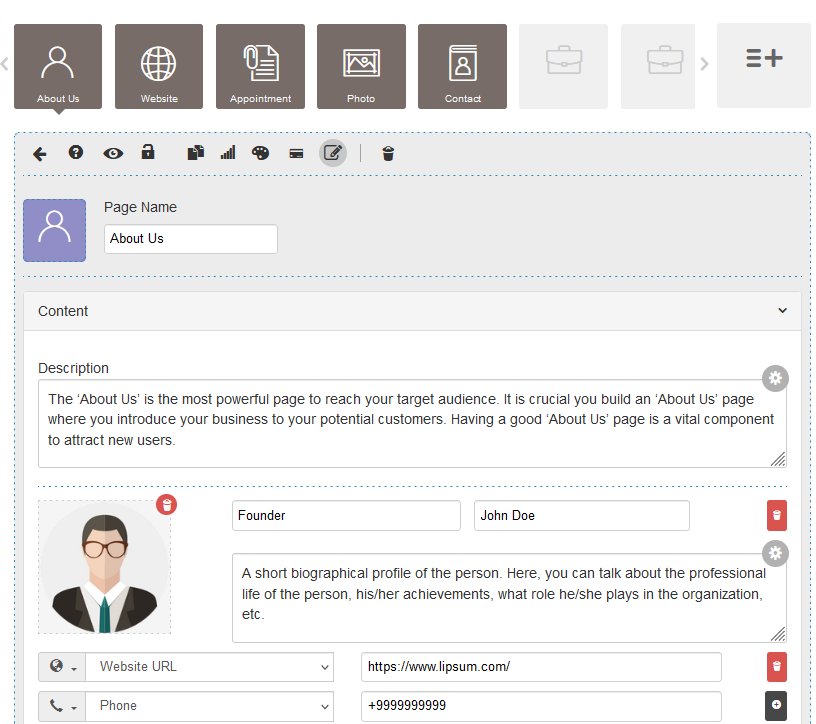
Here's a few things you should know about Appy Pie
It's best at building apps for bricks-and-mortar businesses. Say you run a dentist's office, customers can book and manage appointments, see their bills, and find you on a map. A restaurant can add a menu or ordering.
An AI app generator speeds things up. If you type in your ideas, Appy Pie's AI will generate a basic app for you.
It has cross-platform publishing. Build the app once and publish (yourself) to both iOS and Android.
It's hosted on AWS with HIPAA, PCI, and SOC compliance.
The design process is fairly labor-intensive, so it’s going to take work. But the builder isn’t complicated to use. Appy Pie has support to guide you through it as you do the work to make your own app, and videos and training if you get stuck.
Advantages
Drag-and-drop creator with AI app generator
Templates to build from
Cross-platform (iOS & Android)
Enterprise-grade security and compliance
Disadvantages
Time-consuming
Limited customization (you work off their templates)
You set up & pay for your developer accounts
You handle most submissions, resubmissions, and updates
3. Appian
Best for medium to large companies that need operations and logistics solutions
Appian is an enterprise app solution that helps companies build apps for some of the internal challenges they face daily, letting you do things like design workflows and track supply chains, and manage operations and logistics. With customers across multiple industries, Appian claims use cases in energy, automotive, health-care, government, life sciences, and more.
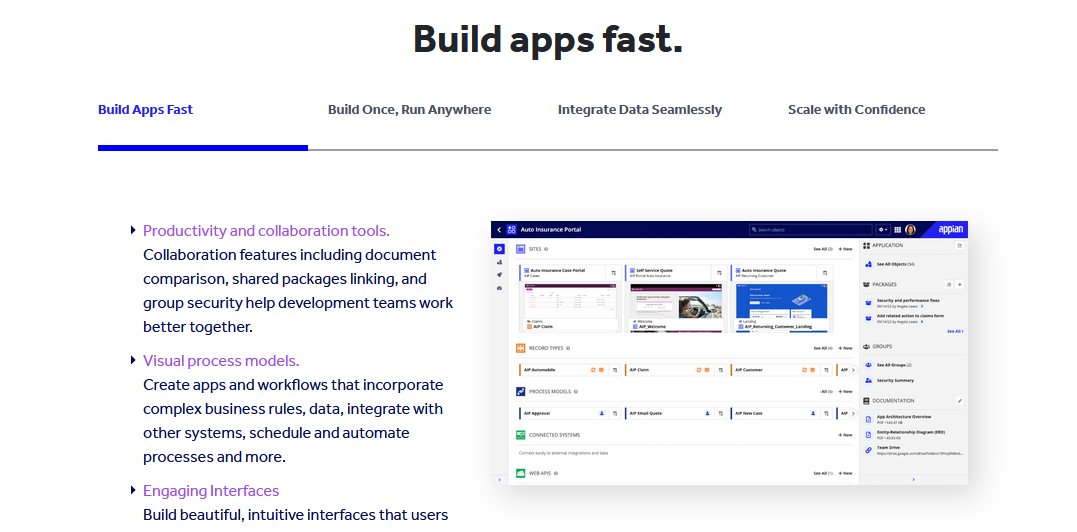
Appian is:
Built for internal corporate processes. Appian helps companies add apps for things like product management, supply chain tracking, inventory, or optimizing construction timelines.
AI-powered automations and agents. Build out end-to-end processes with AI and/or use AI agents to modernize legacy software.
Useful data and business insights in one place.
Low-code development, which mixes white-label solutions with custom coded solutions that fit most enterprise cases.
Appian has built ops apps for the U.S. Army, Bayer pharmaceuticals, and Deloitte, with use cases across energy, automotive, health care, government, life sciences, and more.
Advantages
Strong for corporate processes and operations
AI-powered automations, agents, and intelligence
Simplifies enterprise workflows
Data unification
Disadvantages
Not a good B2C or community-facing solution
Overkill for most users
4. Zoho Creator
Best for medium to large enterprises that need system-wide solutions or field applications
Zoho Creator is another mobile app creation software that offers a low-code business solution. Like Appian, it solves a lot of internal enterprise problems. It breaks these into 3 lines of business:
Business apps to deal with big-picture internal processes, with a range of industry-specific applications
Line-of-business applications to facilitate day-to-day operations like project management or invoicing
Customer engagement apps to provide customer service and support
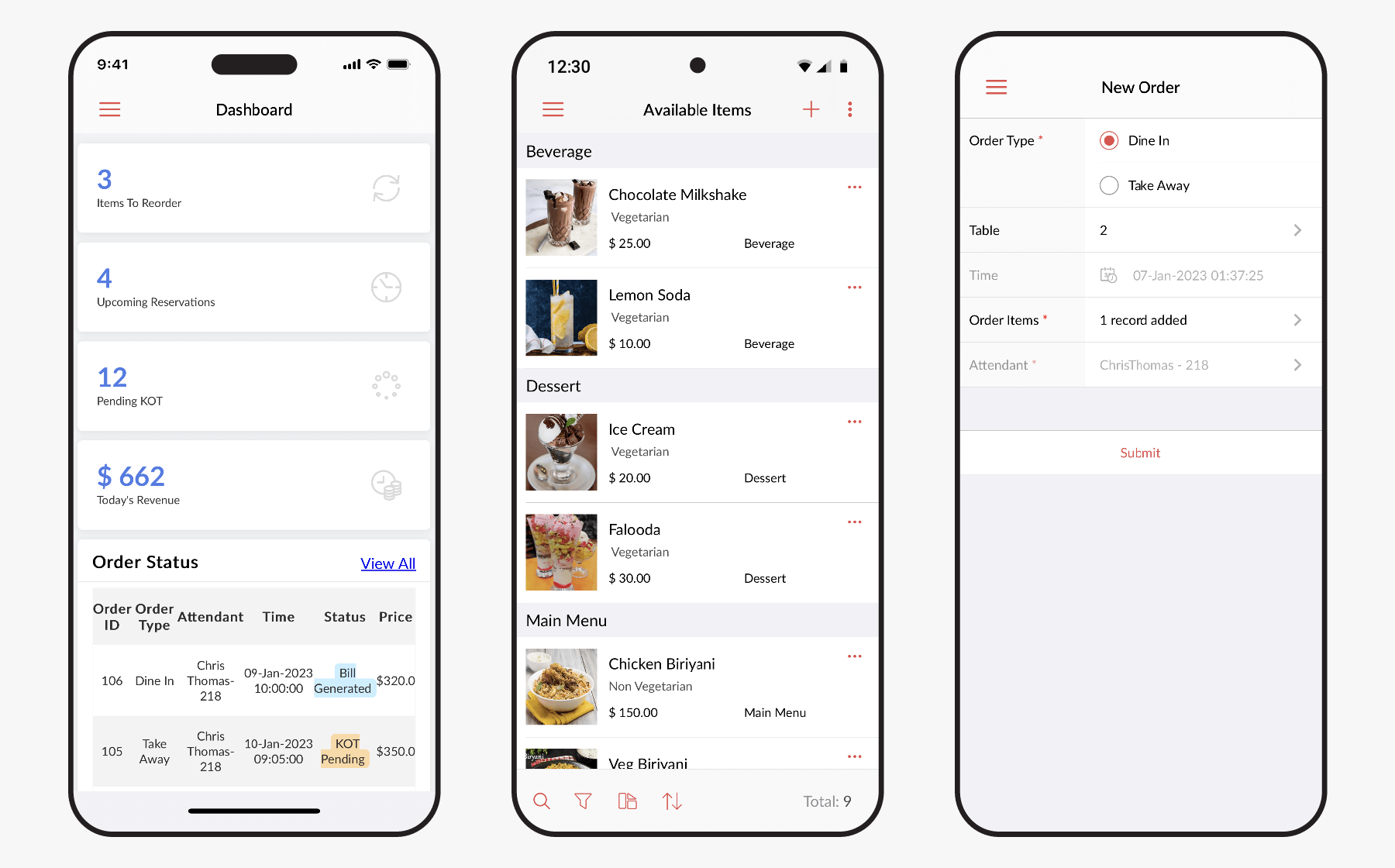
Zoho has added Zia, an AI-powered assistant to help users run business software quickly, usually with minimal coding experience. You can add in self-service portals for customers and vendors, with a lot of specific industry applications.
For example, Zoho is used in the manufacturing industry to create apps to improve processing and profitability by companies like Ingersoll Rand. For retail, it can be applied to improving operations and supply chains. Zoho also lets you add your own corporate branding to the apps.
Advantages
Operations and logistics solutions
AI-powered, low-code development
Strong for corporate processes and operations
Self-service portals for external stakeholders
Disadvantages
Limited B2C use cases
Geared towards enterprise, not public-facing apps
5. Quixy
Best for medium to large enterprises with in-house people who could focus on app creation
Quixy is a no-code, app creation software for business. It offers companies a drag-and-drop builder for making their own apps, letting them focus on the visual design of the interfaces. They offer what they call “citizen development,” which means that it’s a process so simple that your employees can build your own corporate app without needing developers or IT specialists.
Quixy has added AI-powered app building and process automations. And it has tools for automations, digital transformation, and legacy modernization.
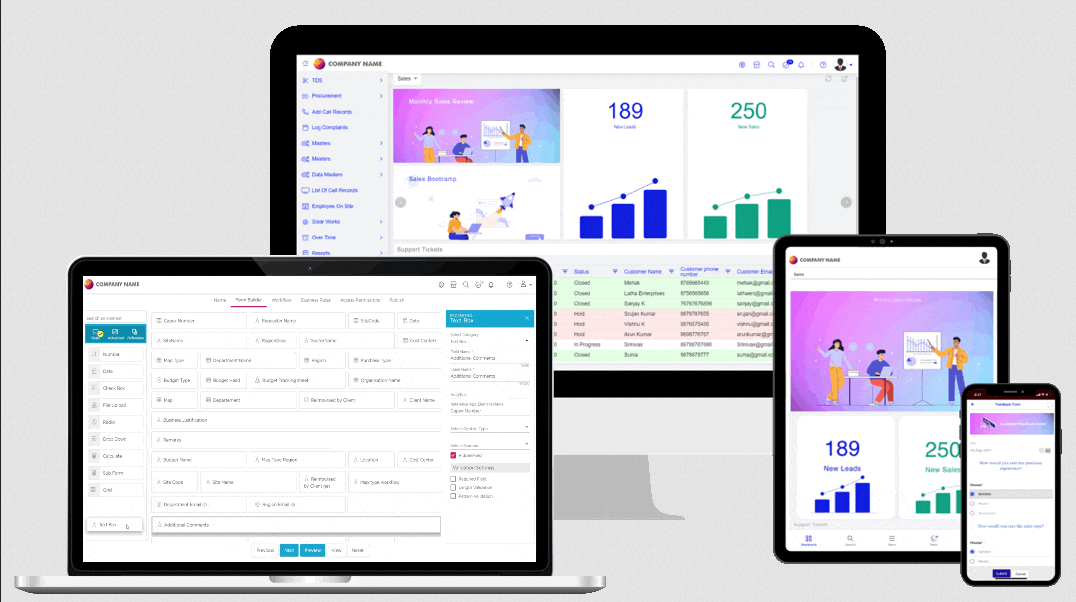
Quixy specializes in business operations, with many of the same functions as others on this list; it can be used for logistics, project management, supply-chain improvement, accounting solutions, and more. Its customers are primarily medium to large corporations with specific business processes they’re looking to improve.
Advantages
Drag-and-drop interface
AI App development
Lots of business applications
You build it yourself
Disadvantages
You build it yourself
Businesses need people in-house to build
6. AppInstitute
Best for local businesses (e.g. restaurants, bricks-and-mortar, and service businesses)
AppInstitute is an app solution for small businesses, but it also builds progressive web apps (PWAs). Like Appy Pie, it also has an intuitive drag-and-drop designer and would be perfect for restaurants, local service businesses, and other bricks-and-mortar stores wanting an app. It has templates for most industries that face customers.
It’s got some great built-in features local businesses can use, like food ordering, forms, loyalty stamp cards, mobile coupons, and image galleries. All these features and its simple design make it a great option for a local business wanting to build their presence online.
One important thing to note is that AppInstitute works for agency resellers too, so if you run an agency managing multiple apps for customers it might be a good option for you.
Advantages
Drag-and-drop builder
Add menus, loyalty programs, coupons, and more
Disadvantages
Limited functionality for anything other than local small businesses
7. Disciple
Best for community-building
Disciple is an app-creation software based in the UK, and it's made for building a community app. The premium app option starts with a base of 500 users, and it lets you add your own customization and member-management features to it. While the app is different from their web platform, with different features, if you only wanted an app it would be an option.
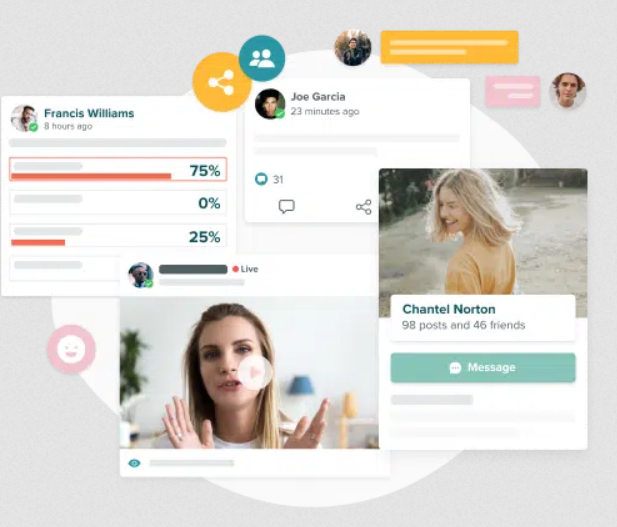
Disciple now includes groups, push notifications, DMs, member directory, events, subscriptions, in-app purchases, courses, and livestreaming across plans.
While the app comes initially with Disciple branding, you can choose to pay to remove it.
While it’s not as extensive an option as Mighty Pro as a community app, it does have some useful features.
So which is right for you?


So which app creation software is right for you? With the options on this list for everything from multinational corporations to small businesses to building thriving app communities, there’s something for everyone.
If you want to build with Mighty, book a call with us! We'd love to show you what we could create together.
Ready to start building your community?
Start a free 14-day trial to explore Mighty—no credit card required.
More like this


Join Mighty Community
Learn the principles of Community Design™ (and see them in action) alongside thousands of creators and entrepreneurs. It's free to join!


Online Courses
Creating a Course
Teaching a Course
Course Platforms
Selling a Course
Communities & Memberships
Community Platforms
Managing a Community
Building a Community
Growing a Community
Monetizing a Community
Creators & Entrepreneurs
Monetization
Content Creation
Starting a Business
Website Builders
Creating & Managing a Website
Events
Event Platforms
Hosting & Marketing Events
Branded Apps
Creating a Mobile App
Coaching Apps
Community Apps
Coaching
Mastermind Groups
Starting a Coaching Business
Coaching Platforms
Filter by Category
Online Courses
Communities & Memberships
Creators & Entrepreneurs
Events
Branded Apps
Coaching
Start your free trial
14 Days. No Credit Card Required.