


Online Courses
Where to Sell Online Courses - 9 Best Platforms for Creators
Ready to create your online course business that thrives? We’ll introduce you to the best platforms to sell courses online.
Author
Mighty Team
Last Updated
July 18, 2026


The online course business is booming. Online learning is projected to reach $279 BN by 2029.
And sure there's competition. But there's also more appetite for online courses than ever. We're getting used to online learning, in some cases with online courses even replacing traditional colleges or universities, as is the case with Google's new, free courses.
So if you're ready to create an online course, you've probably hit the question all course creators come up against:
"Where can I sell online courses?"
In this article, we're going to walk you through the best platforms to sell courses online, giving examples to help every type of course creator find what works for them.
We'll tell you what to look for in a course selling platform, and give you an idea for how to choose.
Where To Sell Online Courses (Quick Chart)
Here's a quick summary of some of the best options for selling online courses. You can jump to the full entry for each option by clicking the link.
Best for | Standout features | Starting price | |
|---|---|---|---|
Best comprehensive course marketing platform | Best-in-class sales funnels, email marketing, landing pages, A/B testing, and automated sequences | $143/mo | |
Best asynchronous course platform | AI curriculum builder, affiliate program, one-click upsells, abandoned cart recovery, highly-rated mobile apps | $29/mo + 7.5% fees | |
Best community platform with integrated courses | AI engagement tools, native livestreaming, gamification, branded app option | $79/mo | |
Strong course-only platform | Advanced quizzes with randomization and question banks, SCORM compliance, AI copywriting, unlimited courses | $36/mo | |
Best marketplace for courses | 80M students, no upfront cost, Marketplace Insights tool, mobile apps, Chromecast and Apple TV support | 37% of revenue | |
Best LMS for learning organizations | Interactive videos with embedded quizzes, 16 assessment types, SCORM on every plan, 4,000+ integrations | $24/mo + $5/transaction | |
Best cohort course marketplace | Curated marketplace, full logistics handled by Maven, course support | 90% of revenue | |
Best WordPress LMS | Full content and data ownership, no revenue sharing, drip content, advanced quizzes, AI course builder | $199/yr | |
Best for complex websites + async courses | Full website builder, built-in email marketing, digital downloads, coaching, and webinars in one place | $33/mo |
How we chose these platforms
We evaluated each platform on the same criteria:
Course delivery: how well the platform supports live, pre-recorded, or cohort-based teaching, and how flexible the LMS is for structuring lessons, quizzes, and drip content.
Marketing tools: what's built in for getting the course in front of buyers, things like landing pages, sales funnels, email marketing, and affiliate programs.
Community and engagement: whether the platform lets you build discussion, live events, or member connection around the course, or if it's course delivery only.
Monetization and revenue share: whether you keep most of what you earn on a flat fee, or the platform takes a cut, and what that cut actually costs you at different revenue levels.
Branding and access: how much control you have over the look and feel of your course, and whether native or branded mobile apps are available.
We also looked at who each platform is actually built for, since a course marketplace, a WordPress plugin, and an all-in-one community platform solve very different problems.
Why sell courses online?
People sell courses online for a lot of different reasons, but there are three that we've seen over and over again.
To share your expertise, experience, or passion. If there's something that moves you—whether it's your personal history or your encyclopedic knowledge of '90s sitcoms—there's something to potentially build your course around. And there are plenty of people out there who share your same passions or motivations and who would be stoked to join you.
To launch a new revenue stream. Let's be honest. Figuring out where to sell online courses is also about bringing in income. Whether you're targeting an existing audience or you're starting from scratch, you can build an experience that's so valuable, potential members will pay to be a part of it.
To re-zhuzh or monetize content you've already produced. That's right! You can also monetize older content that you created in the past. There's a good chance that people will be willing to pay a premium for access, especially if it helps them change a habit, navigate a challenge, or accomplish something they wouldn't otherwise be able to achieve on their own.
When it comes to creating online courses—or launching an online course, or finding the best platform to sell courses online—there's just one thing to remember: Your course is less about what you're teaching, and more about what your participants are learning when they join you.
What to look for in an online course-selling platform?
To best set yourself up for success, there are a few key features to look for in an online course platform. Some of these might be more important to you than others, but here's what you can look for:
A powerful LMS: Obviously, a course platform starts with delivering course material. You need an LMS that lets you build robust courses, with options for live or pre-recorded teaching, dripping content, evaluations, and more.
Branding: Some course platforms let you design your course to match your brand, while others like Skillshare and Udemy give you almost no branding options. Some even let you deliver the course on your own branded app.
Integrated features: Course communities, virtual events, livestreaming, member profiles, chat and messaging, polls and questions, content delivery options, even virtual conferences; these are the integrated features that can make a course shine. Watch for them in a course platform.
AI course creation tools: Automatic course outlines, text improvement, question generators: some course platforms use AI to boost your effectiveness as a teacher (not to replace you). If these are important to you, watch for them. It's not just the nuts and bolts. AI can help you deliver better experiences, with gamified learning, challenges, member journeys, and unlocks—these are the features that skyrocket engagement and completion.
Monetization options: Can you earn from your course? Will you get paid what you're worth? Platforms monetize differently. AND look for ways to build in other monetization streams if it's your jam: selling private coaching, memberships, masterminds, premium groups, events, and more as bundles. Also watch for currency options (if you're not selling in USDs) or other ways to monetize (e.g. token-gating).
Access: 60% of web use is mobile, so platforms that don't give you a mobile app for every device are already at a disadvantage. It's also really great to offer courses under your own branded app (not the course platform's)—especially as your brand grows.
Marketing: Depending on your style, you might want marketing tools: landing pages, funnel-building, sales features, or email automations. And you might want integrations with a CRM or email software of your choice.
Analytics: Finally, you want to see what works. Where students spend time. Where they drop off. How much you earn. A platform with great data analytics tools can help with this.
Where can I sell online courses?
Let’s dig a little deeper and look at a few of the best platforms to sell courses online.
Kajabi
Best comprehensive course marketing platform

Kajabi is a platform for selling online courses that gives a set of tools for users to sell and market their online courses in one place. The platform integrates subscriptions, courses, and other digital products in one place, and it's known for its strong marketing tools.
Kajabi's course builder is excellent, with drag-and-drop course building, drip content scheduling, quizzes, and AI outline generation.
Kajabi's marketing tools
A website builder for creating landing pages and websites from templates, with drag-and-drop editing.
Built-in email marketing with visuals, timers, embedding, and automation sequences.
Funnel-building with pre-set funnel templates for different products. This is probably Kajabi's best feature.
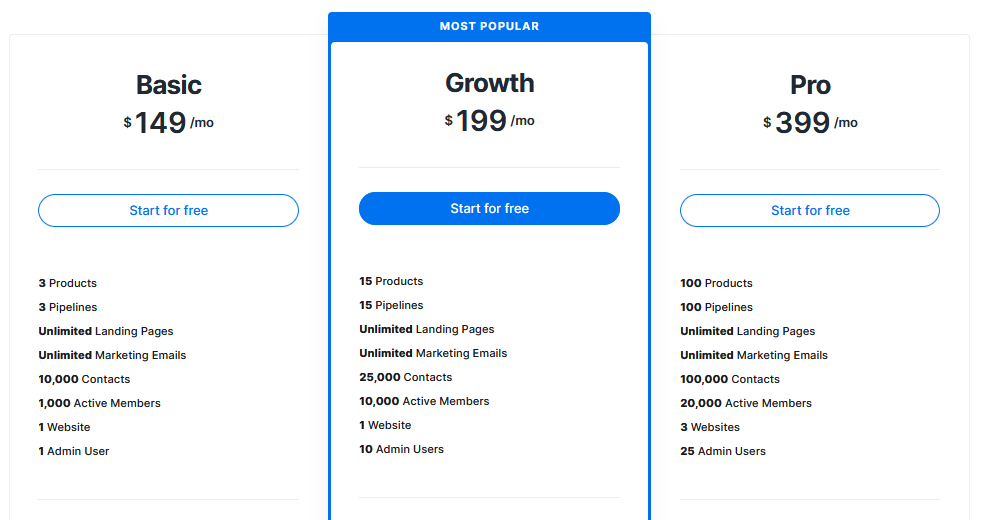
Kajabi's main weakness is live teaching and community. Kajabi's community features (Community 2.0) were acquired separately and feel like a separate product; they aren't fully integrated into the course platform. Community and courses don't live together.
However, when it comes to marketing funnels and automations to asynchronous courses, Kajabi is the strongest.
Teachable
Best asynchronous course platform
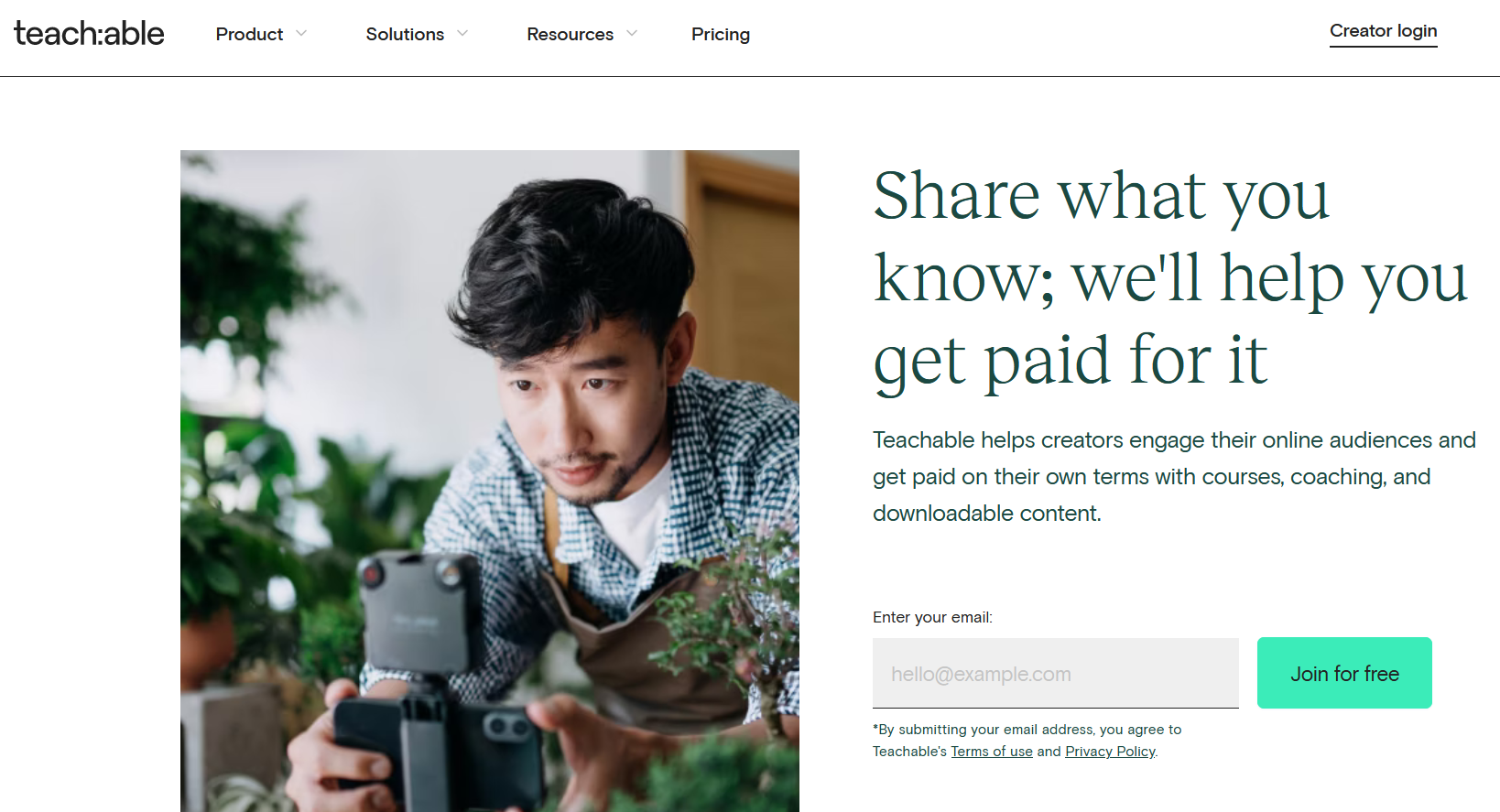
Teachable is a popular online course platform with plenty of features to make building and selling online courses a breeze. It has a great course-building engine that's intuitive to use.
Here are some of the standout features:
An excellent course builder and editor for creating and editing within the platform itself, building self-paced, scheduled, or cohort courses, and dripping content.
AI built-in for drafting course curriculum, generating quizzes, auto-translating videos, and instantly creating sales pages.
Drag-and-drop course building and course pages with strong sales optimizing gestures (order bumps, one-click upsells, abandoned cart recovery).
Affiliate program integrated for recruiting past students to sell.
While Teachable has all the features to create a good, asynchronous course that's web-based, it isn't the best choice for cohort courses (live courses) and/or community. It doesn't have native livestreaming, you'd need to connect a third-party tool like Zoom for live sessions. It also does not have branded apps.
Overall, Teachable is a strong course platform for async courses with excellent apps for every device.
Mighty Networks
Best community platform with integrated courses
Mighty Networks is an all-in-one community platform with built-in course features. Ranked as G2's top community management software, it's a strong fit for creators who want to sell live, self-paced, or cohort-based courses inside a broader community experience.


Courses can include video, audio, text, PDFs, discussions, and questions. Creators can also add livestreams, events, polls, private groups, and paid memberships around the course, giving students ways to interact with the creator and each other.
Here are a few of Mighty's core features that make courses + community fit well together:
Collaborative gamification designed by one of the world's top gamification experts, Jane McGonigal.
AI engagement tools for boosting engagement like member matching and intros, 1-click re-engagement of lapsed members, instant discussion questions, and generate copy and course outlines.
Flexible Spaces mean you can integrate courses closely with community features like discussion forums, events, or articles.


Mighty Networks lets you customize your course and community experience across web and mobile. For more established creators and brands, Mighty Pro adds a fully branded app in the App Store and Google Play, with courses, livestreaming, and community features under your own brand.
One thing to note: Mighty Networks doesn't have complex marketing funnels or a built-in website builder. And unlike the marketplace platforms, you need to bring your own members. Mighty's focus is community, courses, events, and memberships that live inside an engaged member experience.
The seamless integration of course and community under your brand makes Mighty the best option for community builders with something to teach.
Thinkific
Strong course-only platform
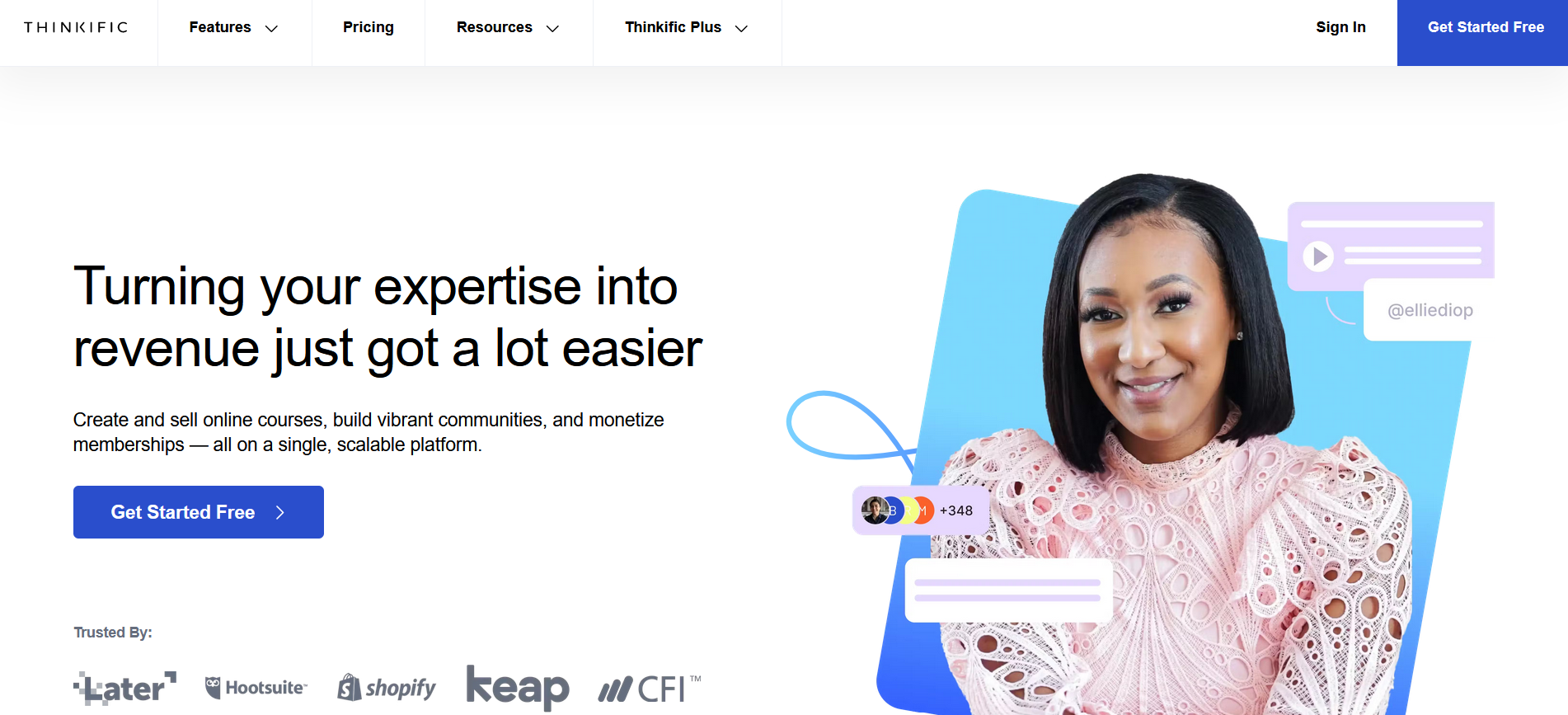
If you're trying to figure out where to sell online courses, you've probably come across Thinkific. Thinkific is a great contender in this space, with a really solid course platform and a lot of design options for landing pages. It gives you different ways to get your content to your students (ie. dripping), and lots of customization tools. The monetization features give you flexibility in creating subscription fees, paid memberships, coupons, and discounts.
Here are some of the best features:
Lots of course-building options for delivery and styling, plus landing pages and templates.
Excellent quiz & assessment features with randomization, question banks, and even an AI quiz generator, all SCORM compliant.
Intelligent AI copywriting tools for outlining courses and creating email and landing page copy.
Unlimited courses and scalability, giving lots of room to build without hitting limits.
Thinkific isn't as strong on live delivery and community options. They've added a simple community feature to the platform, but it's missing the advanced engagement features of a dedicated community platform (it doesn't have a custom activity feed, native livestreaming, etc.).
One more note, Thinkific's apps are quite poorly rated (1.9 stars on the App Store and 3.2 on Google Play as of writing this), a serious knock against an otherwise strong course platform.
Udemy
Best marketplace for courses
Some creators prefer to sell their course on a marketplace, where you upload your course to a library with tons of other courses. The advantage of this is that there's an existing audience of students looking for courses, which can be a great boost for new teachers.
Udemy is the best course marketplace for both teaching flexibility and compensation. It has 290,000+ courses and lots of users. It has a good course engine and some basic engagement features, giving it solid UX for students. And, best of all, Udemy has a great app for every device, and even has a built-in streaming tool for Chromecast or Apple TV.
Udemy's compensation structure makes it the best marketplace option for teachers. Since marketplaces often charge a flat membership fee, sometimes teachers can earn less. With Udemy, here's how it works:
For students you bring in through a shared link, you keep 97% of the revenue.
When Udemy's marketplace drives the sale (through ads, browse, or search) your cut is 37% of the revenue.
If your course is accessed through a Business Subscription, Udemy allocates 15% of its revenue to compensate course creators.
That number is a disadvantage: 37% of a course sale isn't a lot. But since this could be a sale you wouldn't otherwise have made (ie. Udemy brings you students through ads, browse pages, search, or promo emails), it might be worth the trade off.
The other disadvantage of a marketplace like Udemy is less control over your brand. You also don't own the relationship with your students, you won't be able to email or market to them (there's just a limited chat function).
You'll have to decide what's right for you. But overall, this is a genuinely better revenue model than other marketplaces, many of which compensate based on watch time and not sales.
LearnWorlds
Best LMS for learning organizations
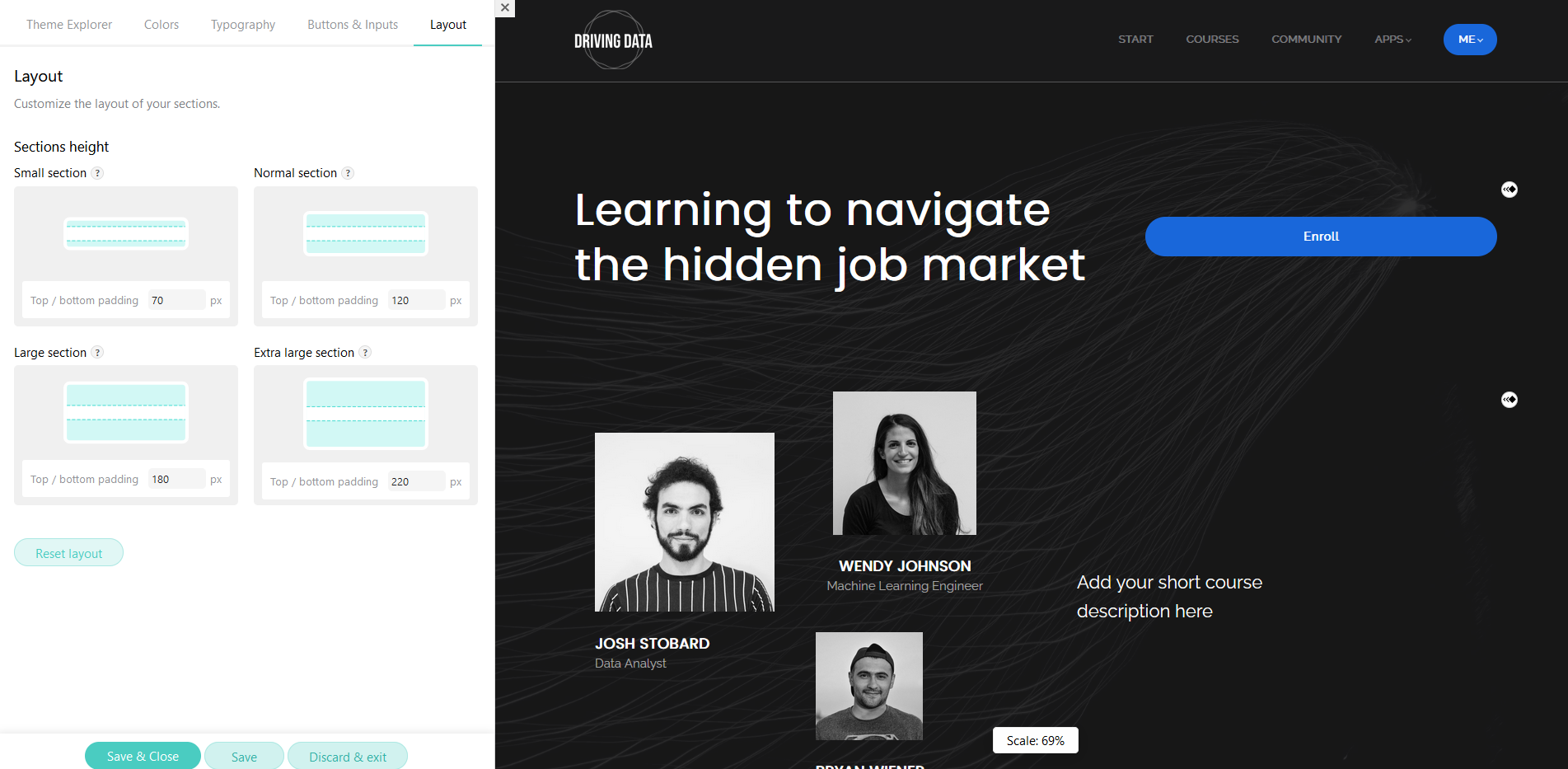
LearnWorlds is a cloud based LMS built for educators and organizations that want more than simple video courses. It creates interactive learning experiences and is a good fit for professional trainers, B2B training companies, or businesses doing customer education.
LearnWorlds includes:
A powerful video platform that can embed quizzes, hotspots, overlays, and interactions directly into videos.
Advanced assessment building with 16 question types plus an AI quiz and feedback generation.
SCORM compliance (a must for a lot of institutional learning platforms) comes on every LearnWorlds plan.
4,000+ integrations with a lot of other business and organizational tools (Zoom, WebEx, Teams) to add it to an existing tech stack.
LearnWorlds' best features are quite costly, including extra costs to add mobile apps, making it overkill for many solo creators and brands but an excellent choice for an institution with a healthy learning budget.
Maven
Best cohort course marketplace
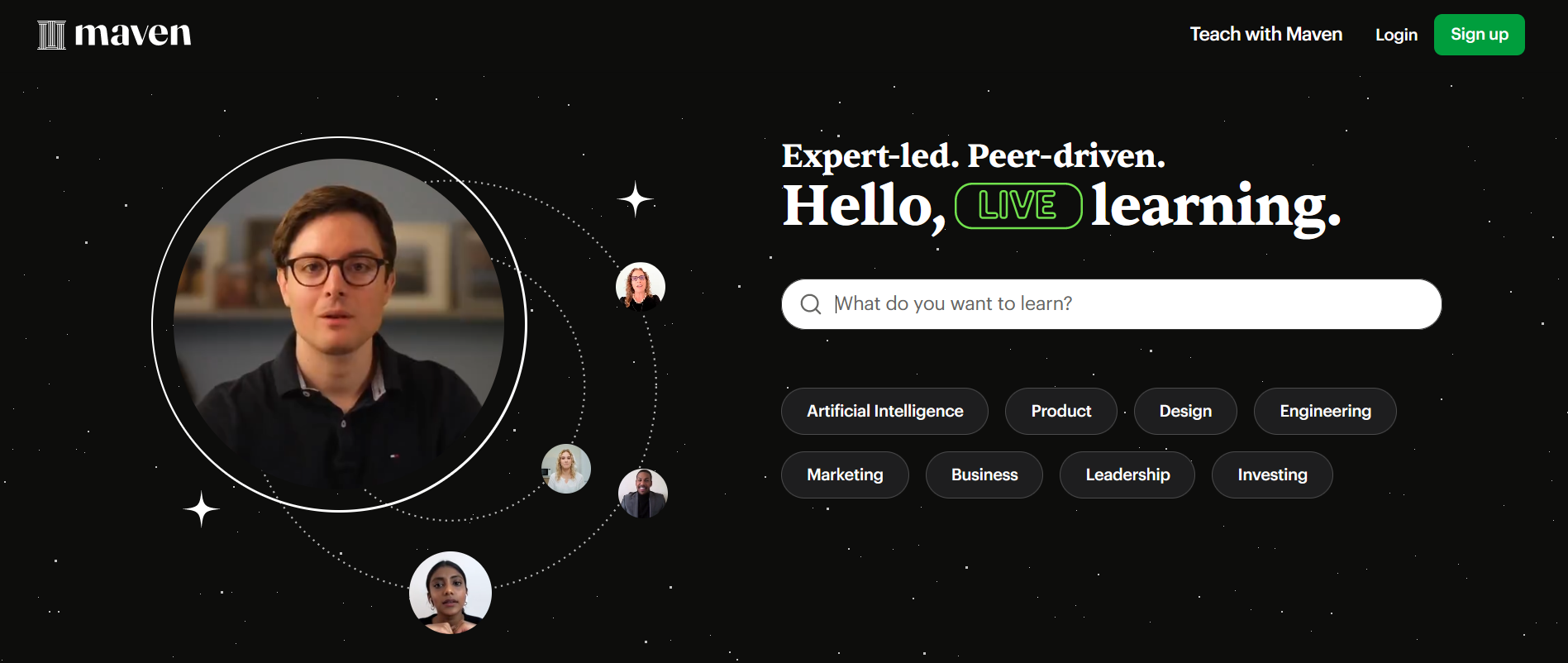
Maven is a course company that specializes in cohort-based education (live teaching). They turn courses into a sort of library, so members can explore upcoming courses and log in. We've found that cohort courses are extremely effective, and Maven leans into a cohort-only approach. Plus, they offer hand-picked courses that are often high-ticket, letting members enroll and learn from experts in different fields.
Here are the best things about Maven:
It offers a 90% revenue share, letting instructors keep most of their revenue. And unlike other marketplace platforms, Maven lets you keep your email list and communicate directly with students.
Cohort based learning can command a premium, with cultivated offerings live with top teachers.
Maven takes care of operational support with Zoom integration, scheduling, payment processing (via Stripe), and reminders, meaning instructors can focus on teaching.
Maven's "Lightning Lessons" work like lead generation where instructors can run short, educational experiences to build a mailing list and validate demand.
Maven hand-selects their course instructors, so you need to be approved to teach with them. The application process is on their website. But if approved, you get access to a library of course templates to work from, you get training, and even access to a community of course instructors. And the course platform includes some marketing features, landing pages, and community-building.
Maven doesn't give you total control over your course. And you need to be approved to teach with them.
But if you qualify and get in, Maven is a fantastic option for teaching cohort courses with a team behind you.
LearnDash
Best WordPress LMS
LearnDash is a WordPress option to sell an online course. If you have a website built on WordPress, it can add course functionality.
LearnDash is a good LMS for WordPress, and it's inexpensive. It gives you the ability to create an online course, and it comes with different features to serve your students, add tests and exams, drip content, and more.
LearnDash gives you complete ownership and control, with total flexibility in design. There's no platform dependency, and the course is integrated into a WordPress site. It's also one of the lowest cost course platforms (although you may need other plugins to get full functionality).
There are a few things to note about LearnDash. For full functionality, it may require custom development which can add a steep cost and/or learning curve. Most WordPress plugins aren't completely UX friendly out of the box. It will need regular updates, and may need additional plugins (for example, a payment plugin).
Even if you do have a website built on WordPress, it's debatable that a plugin is really the best way to get an online course. All-in-one platforms can integrate smoothly with WordPress as a subdomain. However, for someone only interested in building on WordPress, LearnDash is an excellent option.
Podia
Best for complex websites + async courses
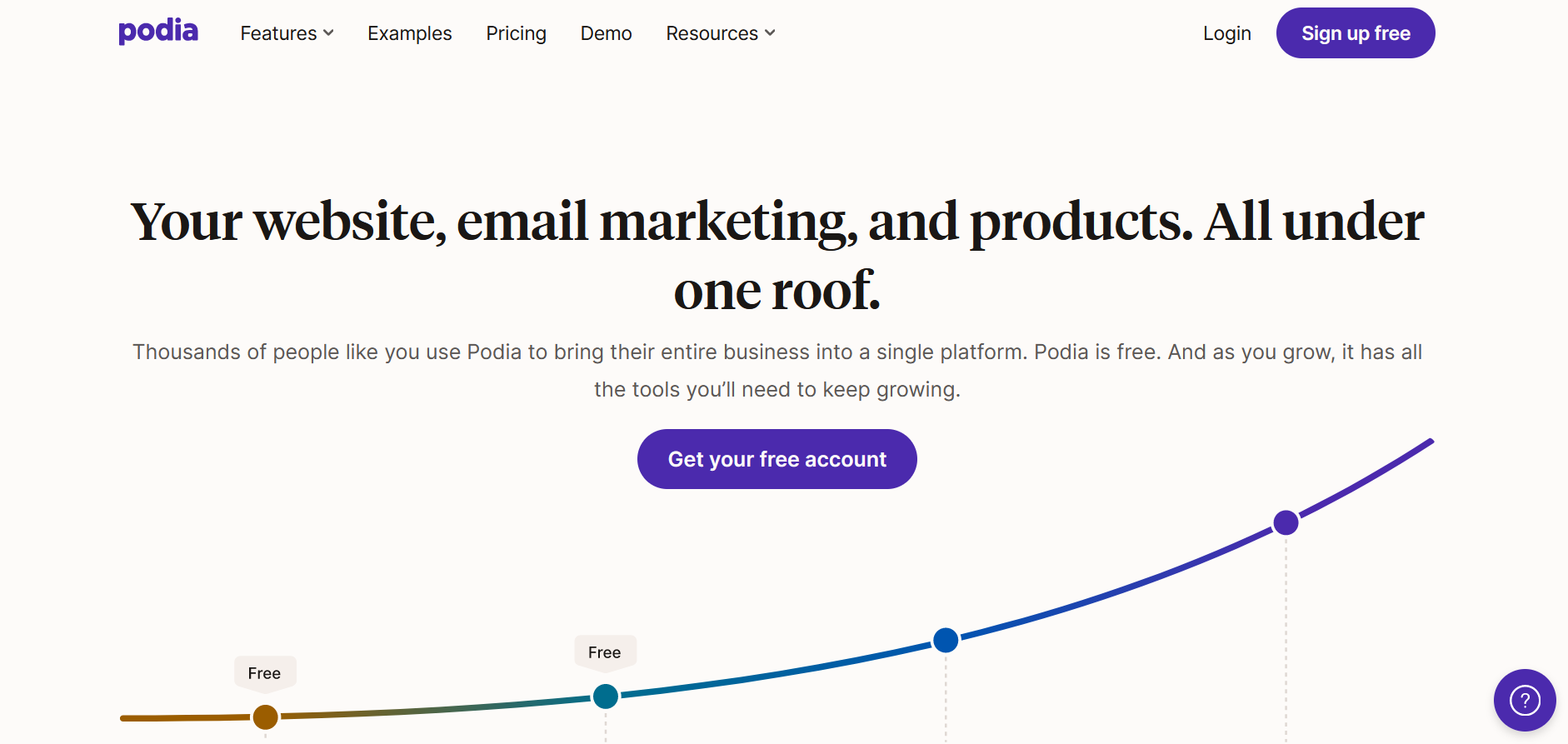
Rounding out our list of the best platforms to sell courses online, let's finish with Podia. Podia is a dedicated website builder, with a lot of power for building multi-page, complex websites with templates and drag-and-drop visual editing. As a website builder first, it's integrated sales features for digital products, this includes online courses. This gives it a wider range of product features than past competitors, from e-commerce to ebooks to memberships to coaching calendars. You can do a lot with Podia.
Its course platform is simple-yet-functional. It supports self-paced courses with drip scheduling, as well as native video hosting for video lessons. Podia has added discussion sections to each course, along with course comments and progress tracking.
Podia works well for creating digital products like webinars, selling memberships, or integrating downloads like audiobooks or PDFs. The course platform itself is clean and easy to use, although quite limited in features. This makes it a great choice for a website-first business offering a simple course. Note that Podia does not have a mobile app.
How to sell an online course
We've covered the best platforms to sell courses online, but now let's talk about the how; how to sell an online course. The two subjects are closely related; a great course platform is your ally in selling courses online.
How to sell courses online – Planning
1. Crack your course topic
The first step to selling courses online is to come up with a compelling course topic. In other words, what will your course actually be about? And what will your participants get out of your course?
The best course topics follow three guidelines:
They're unique. When it comes to course topics, stay away from being too general. You should be able to clearly picture who this course serves and what results or transformation they'll get from mastering this topic.
They're exciting. The best course topics aren't just fun. They also have the power to motivate your students or participants.
They cover something your participants can't learn on their own. When it comes to selling courses online, your topic can't be something that your potential students could simply Google.
You don't have to be the world's leading expert to teach something. But you do need to have more knowledge than your students and a passion to share it. And don't discount how valuable your personal experience and perspective is, especially if you aren't like the other course creators in your niche!
2. Hone in on your ideal member
Do you know what too many course instructors are missing? A clear understanding of who their course is actually for.
People don't buy courses because the topic is interesting. People buy courses because they offer a transformation or experience that they want.
So get RAZOR sharp. Don't settle for broad. Niche down. "This course is for millennials," is hardly a clear value proposition. But "this course is for millennials who are struggling to take control of their personal finances and save for retirement" is much clearer.
To understand more about the kind of people you want to attract to your course, think about what goals they're looking to achieve, and what obstacles are holding them back from getting there.
What are they Googling about this topic?
Why can't they find the answers?
And what can you teach them about this topic?
But don't guess. Ask them! Interview 10-15 potential members and see if they're interested.
3. Decide on a course format
Once you've got an idea of who the course is for, you can start to think about delivery. Here are a few of the styles to think about.
Asynchronous vs. synchronous: Are you going to host the course live, in real-time (synchronous), or are you going to pre-record the course and have people watch it after the fact (asynchronous)? You can also choose to blend these by doing it live, keeping the recording up, and adding an online community for lots of engagement. We have a full guide to asynchronous vs synchronous learning, but here's a quick chart for reference.
If Yes... | If No... | |
|---|---|---|
Are your students self-directed and autonomous? | Try Asynchronous | Try Synchronous |
Does your material ever change? | Try Synchronous | Try Asynchronous |
Do students require live feedback and support? | Try Synchronous | Try Asynchronous |
Do your students have limitations in joining through a live session, either because of learning style or lifestyle? | Try Asynchronous | Try Synchronous |
Will the students need to workshop ideas, have discussions, or work together? | Try Synchronous | Try Asynchronous |
Delivery method: Video? Text? Audio? Some combination of all of these? Think about how you want to get the course material in front of your audience.
Outcomes: Think about what your course will lead to. We've already talked about how courses should lead to transformation. But what will your members have because they took the course? A portfolio? A credential or certificate? Or a new skill they can show off?
4. Build on the right platform
The next step to selling courses online? Choosing a robust online course platform where your course can thrive.
When it comes to choosing a course platform, there are three main ways to do this.
With plugins on a WordPress website: One of the earliest ways to build a course online was adding a course plugin like LearnDash to add a course to your website. This approach is complicated and rarely looks as good as using a proper course platform.
By creating it on a course marketplace: A course marketplace like Udemy has thousands of students on it already, and you simply add your course. They can get your course in front of an existing audience, BUT there's more competition PLUS these platforms will take a huge cut of your revenue.
By choosing an all-in-one course creator: An all-in-one platform gives you the space to create what you need to, but ideally, it comes out of the box with everything you need to create a thriving course business.
An all-in-one takes the mess away and gives you one dedicated space to build your course and sell it. You can even opt for a totally white label online course platform, and do everything under your own brand.
As we explored above, an all-in-one platform that gives you not only a space to sell courses, but also a place to build and grow a community, your students can engage with each other. This makes your course way more valuable… because of the critical human connection, friendship, and accountability that comes with it.
Here are some of the things you could look for:
The tools to easily create and organize lessons and dynamic course content
The ability to charge for courses and collect payments securely in multiple currencies
Multiple ways to connect your students, from polls to direct messaging
Livestreaming and community events built-in
The ability to sell bundles
Access to your course and community on the web, iOS, and Android
Upgrade to a branded course app if you're ready
Once you've chosen a platform, the next step to selling your courses online is to figure out how to price your online course.
5. Settle on a price
If you're going to create and sell courses online that deliver results and transformation to your ideal members, don't undercharge for it!
There's no exact science to figuring out how much you should charge when you're selling courses online. But think about value-based pricing; what's the result worth to your member?
Ask yourself a few questions:
Without your program, how else would your members get results?
If your Ideal Member gets the results you offer, how valuable would it be to them?
What price would make it worth it to you?
You created a course to get members results they couldn't get on their own. Price it accordingly.
One thing a lot of online course creators will say: People value what they pay for. And if they don't pay enough for your course to take it seriously, you might see a drop in completions or retention.
It's counterintuitive, but pricing too low actually hurts your students' results.
6. Pre-sell your course
Here's a pro tip for how to sell courses online. It works especially well if you have an existing following, but could work for anyone.
Pre-sell the course.
When you start telling people you want to create a course, a lot of them might say, "Yeah, that's a great idea!"
Too many creators have seen this enthusiasm dry up when it turns into actually pulling out their credit cards to pay for the course.
You can pre-sell the course before you even create it!
You need a great landing page, course title, and payment system. Then, invite your potential students to pre-purchase, even at a discount. It will give you an actual gauge of whether or not people will buy the course.
If you get the reaction you wanted, build it! Or teach it live!
You can start with the people you interviewed as the ideal members. It might not come as a shock that the people who have shared their frustrations with you might be willing to pay for your solution.
7. Tap into member-led growth
If you're thinking "nobody will ever buy my course before it's launched," this might be a surprise. We see people successfully pre-sell courses all the time.
When you build community and engagement around a topic, bringing people into membership spaces and helping them meet friends they'll keep for life, creating and selling a course gets radically easier.
So instead of doing a hard sell of a course, start by creating community. For example, you can reach out to the Ideal Members you interviewed with a message like this:
Hey James, Thanks again for your feedback on the challenges of starting a freelance writing business. As a result of my interviews, I decided to start a freelance writing community. It's totally free to join, and will be a place to support freelance writers and share the knowledge that I've gained from building my own six-figure writing business. I'm also planning to teach a live course in the fall on creating your own six-figure writing business.
I'd love to see you there, but absolutely no pressure if this isn't for you right now! Thanks again for your valuable insights, and have a great week.
Focus on bringing people together first, and then start selling. It's magic.
How to sell online courses - building & launching
8. Choose the right gear
So if you've done the background work to prepare for your course, and you're ready to build, you'll probably find yourself down the rabbit hole of picking all the right course gear.
So if you're currently sitting with $5,000 of camera gear in an Amazon cart, let us set your mind at ease.
You don't need complicated gear to create an amazing course. Here's what you might need:
Camera: If you have a pro camera, that's great. But a webcam or your phone will work just fine. Try sitting in front of a window, with your face to the glass and the camera pointing back into the room. It's a great way to get good video without the high cost. If you have a bit to invest or don't like the idea of sitting in a window, you can always buy a ring light to improve your video.
We do have a guide to livestreaming a course on our YouTube channel!
Audio: Audio is more important than video. So don't just sit and talk towards your phone or laptop mic. Instead, at the very least, plug in a headset or earbuds to pick up your voice close to your mouth. If you want to invest a bit more, try a lapel or desktop condenser mic for better sound quality.
Again, we have a guide to getting great audio too!
Editing Software: You don't necessarily need to edit your course, especially if you deliver it live (obviously). But, if you want it pre-recorded and a bit more polished, you might choose to edit it. You can use a pro editing software like Adobe Premiere, or one of the many cheap or free versions online or hire a video editor to edit it for you.
9. Structure the course
We've written a whole article about how to structure an online course, so we won't talk about it all here. But structure your course according to the transformations your members need.
Resist the temptation to:
Use the course to show off how much you know.
Stuff the course full of as much material as you can.
Add in modules that don't help your cause at all.
Focus tightly on what your ideal students NEED, and get rid of everything else. The secret to a great course isn't an avalanche of information, it's giving the students exactly what they need to get the transformation they're looking for.
10. Market it
At some point in the process, you need to market your course. You can do this before you get started (e.g. if you're pre-selling). But there's a good chance you may need to start marketing as you build and prepare for launch.
Again, we have a whole guide to how to market an online course, and it's hard to do this justice here.
Otherwise, you'll need to figure out a membership acquisition channel for your course business that works for you. It could include things like:
Email
Social media
Free trials
Ads
Webinars
Guest speaking
We already talked about the power of member-led growth above, which makes course marketing way easier.
If you aren't building a community with your course, here are a few other ideas:
If you already have a following, start with that existing audience, and use whatever tools you have at your disposal. Have an email list? Start an email campaign. Have a ton of social media followers? Post regularly about your new venture. Make sure everyone knows that you're selling an online course, who it's for, and why it's unique.
If you don't have a following in place, you can still get the word out that you're selling courses online. Reach out to your professional and personal networks via email, text, and over the phone to tell them what you're doing. Ask for referrals. Tell everyone what you're building, and who it's for. You could also consider a webinar to help introduce yourself and the course you're selling. You might even give your audience a sneak preview of the course itself.
11. Deliver it!
When all is said and done, all that's left is to deliver the course. If you're creating a pre-recorded course, you might be sitting in your office for a few days recording.
If you're delivering a live course, you might be sending out links and RSVPs, and spending time with a crew of great people on a Saturday.
The delivery is up to you! So have fun with it!
12. Ask for feedback
Last, but DEFINITELY not least, don't forget to ask for feedback on your course! You can use this to make your course better in the future, which is great. But you can also collect testimonials, which are vital for online courses. These are super important to help you sell more courses in the future, and if you can add a name and a face to the testimonials (if your students are comfortable), even better!
Success Stories
Here are some of the case studies from a few creators we've seen building course businesses.
Ashley Fox – The Wealth Builder's Initiative
Ashley Fox launched The Wealth Builder's community to educate and empower the people Wall Street won't talk to about creating financial success. She made $100k in her first week of the app launch! And from there build an amazing community that has a bedrock of live and pre-recorded personal finance courses.
Cristy Code Red
Cristy "Code Red" turned her business into a $10 million powerhouse that teaches members how to achieve their fitness and nutrition goals.
Lisa League – Qpractice
Lisa League launched an online course to help interior designers ace the National Council for Interior Design qualification.
Ready to start?
Now you've got a guide for how to sell courses online. And since you're looking for the best platform to sell courses online, why not give Mighty Networks a try for free? You can expand with memberships, mastermind groups, virtual conferences, and more. Your members can access your course anytime, anywhere, whether it's on the web or via native mobile app.
FAQ
1. Do I need a license to sell online courses?
Often no. Not for the course sales themselves. The problem comes with the material. If your online course is dealing with subjects that are subject to regulations and licensing in your place of origin and/or where you sell your courses, you might need one. Many of these fall within the big three: health, wealth, and relationships. Check for any licensing requirements. If you have credentials and are licensed, lead with those!
2. Do you need an LLC to sell online courses?
Usually no. But it depends on your tax jurisdiction rules. Many areas allow for people to earn money from small businesses, as long as that income is reported on personal tax returns. If your course business is doing well and earning a lot, an LLC might be a great thing to consider.
Check your local rules and tax systems to see what applies to you.
Talk to professionals like an accountant and/or lawyer to find out what rules apply to you AND what type of business set up is best for your situation.
3. Is it a good idea to bundle a course, private community, and live coaching under one subscription price?
It absolutely can be! Too often we think we're selling a "digital product." People don't buy a "course" or "subscription." They buy a transformation! So what do you need to help them transform? A course mixed with livestreams? A community with coaching? Bundle it! Give them whatever they need to see the transformation they dream of.
Plus, courses and communities work great together. People can follow course material for learning, but get friendship and accountability from community.
BUT you can always sell different components separately too. For example, a course and community make a perfect starter bundle. Adding live coaching could come at a higher price-point. Flexible pricing allows you to offer different price points for members with different spending power.
4. Can I import existing courses from platforms like Teachable or Thinkific without losing progress?
Most modern course platforms let you export some things: member lists, emails, and maybe even some basic data. But it's rare to get completion data. If you have things like student progress reports, completion certificates, quiz results, it may need to be manually transferred. Some platforms offer dedicated migration services.
5. How can I migrate my courses from a different course platform?
Phase 1: Planning
Before you can even think about moving your learning community, you should do some serious planning. This can include asking questions like:
What do I love about what I'm currently doing? What should I absolutely keep doing?
Is my "Ideal Student" profile still right? Is that the one I want to move forward with?
What's working about how I teach? What do I want to do better?
What platform could help me do what I do well? What platform could help me do things I'm not currently doing?
These will help you establish the baseline for where your course business needs to go.
Phase 2: Setup
If you've done the background work to plan your move, it's time to put things in motion.
Choose a (new) platform for selling your course and set it up with your brand. Create any plans or sales sequences you want.
Move any existing async course material, lessons, articles, etc. over to the new space.
Download and save a copy of any material you want to keep. Download member emails and any relevant data you want to keep.
Phase 3: Launch
It's time to tell your members about the new space!
Use email and your existing platform (if it lets you) to let members know there's a move coming up. Announce the move on social media (if applicable).
It can be good to plan a launch event, livestream, course bonus, etc. as a way to incentivize people to make the jump to the new space. It takes a bit of work for them, so make it worth their while! Make sure to stand-by to offer any support required and let people know how to troubleshoot.
Get stuff happening. Start messaging and creating. Host challenges. Livestreams. Make the new platform an amazing place to be. And eventually phase out any sort of posting on the old one (you can even close it eventually).
Set realistic expectations. It might be that not everyone makes the jump to the new platform. That's okay. You're getting ready to build the next phase of your course business, and not simply trying to replicate everything that happened before. The next phase can be better than ever!
Ready to start building your community?
Start a free 14-day trial to explore Mighty—no credit card required.
More like this


Join Mighty Community
Learn the principles of Community Design™ (and see them in action) alongside thousands of creators and entrepreneurs. It's free to join!


Online Courses
Creating a Course
Teaching a Course
Course Platforms
Selling a Course
Communities & Memberships
Community Platforms
Managing a Community
Building a Community
Growing a Community
Monetizing a Community
Creators & Entrepreneurs
Monetization
Content Creation
Starting a Business
Website Builders
Creating & Managing a Website
Events
Event Platforms
Hosting & Marketing Events
Branded Apps
Creating a Mobile App
Coaching Apps
Community Apps
Coaching
Mastermind Groups
Starting a Coaching Business
Coaching Platforms
Filter by Category
Online Courses
Communities & Memberships
Creators & Entrepreneurs
Events
Branded Apps
Coaching
Start your free trial
14 Days. No Credit Card Required.